
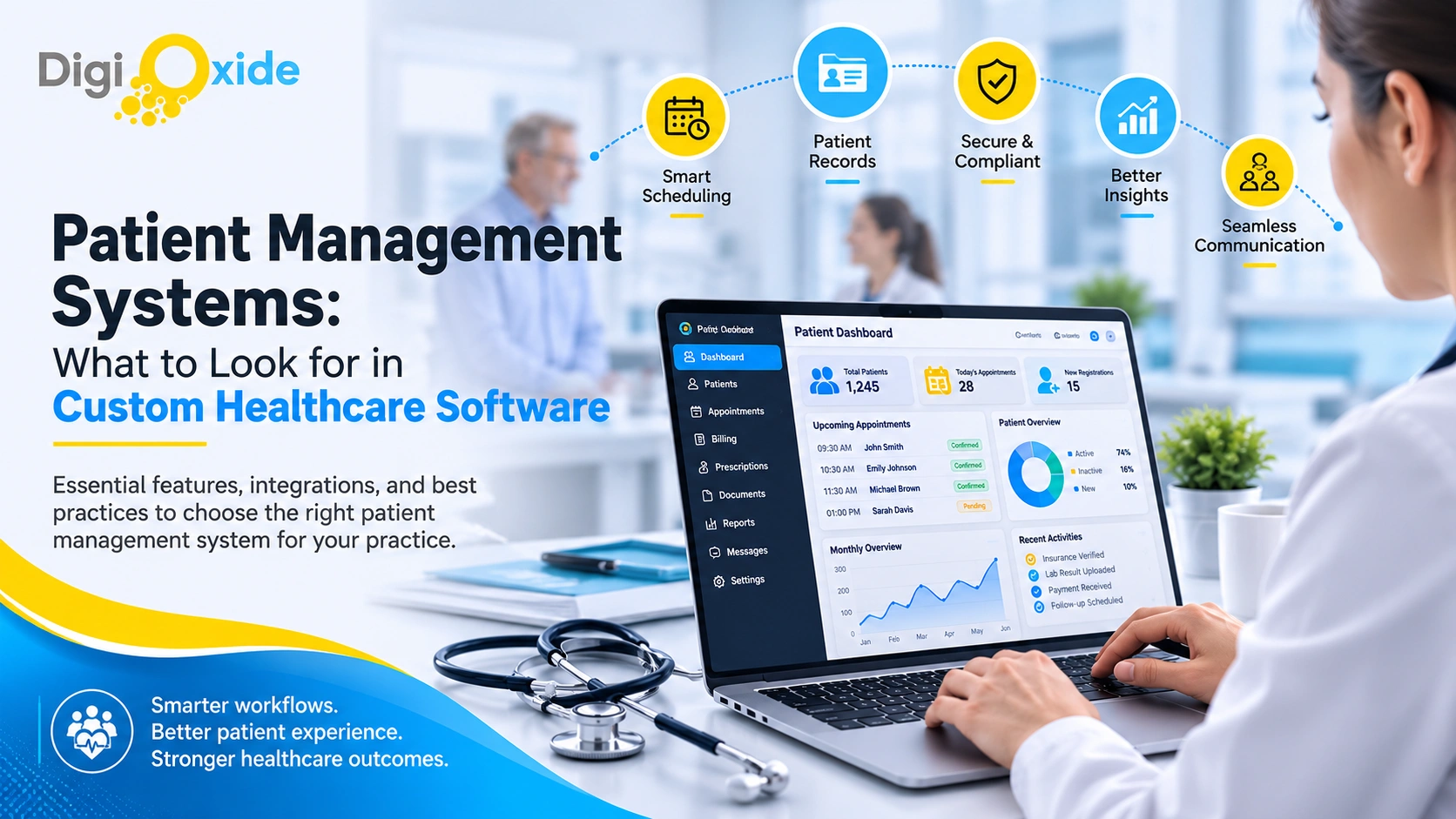
Patient Management Systems: What to Look for in Custom Healthcare Software

Quick Summary: A patient management system is the operational backbone of a modern practice: scheduling, intake, records, communication, coordination, and reporting working as one. This guide from Digioxide Technologies Private Limited explains what separates a system staff rely on from one they work around: the features of a good patient management platform, how a custom build compares with EHR modules and generic CRMs, what patient management system development costs, how EHR integration actually works, and a right-sized path for small clinics that cannot bet the practice on a big-bang project.
Every practice already manages patients. The real question is how much of that management runs on software designed for the job, and how much runs on sticky notes, spreadsheets, voicemail, and the memory of one indispensable front-desk veteran. When leaders start shopping for a patient management system, it is usually because that informal system just failed somewhere visible: a double-booked provider, a lost referral, a no-show rate nobody can explain, or an audit request that took three weeks to answer.
This guide is written for the people who sign off on the fix: clinic owners, practice administrators, and hospital IT directors weighing custom patient management system development against off-the-shelf subscriptions. Digioxide Technologies Private Limited builds these systems for US healthcare organizations, and the evaluation framework below is the same one we walk clients through before a single line of code is written.
What a Patient Management System Actually Covers
Terminology in this market is messy, so define the thing before evaluating it. A patient management system, sometimes called a PMS or patient management platform, is clinical workflow software that handles the operational side of care: everything that happens around the clinical encounter rather than inside it. Among the healthcare software solutions a practice can buy or build, few touch more staff, more patients, and more revenue at once.
In practice, that means six functional areas:
- Scheduling and calendar management across providers, rooms, equipment, and locations
- Patient registration and intake, including demographics, insurance, consents, and history
- Patient data management, the administrative record that tracks status, coverage, documents, communications, and tasks
- Communication, meaning reminders, recalls, secure messaging, and patient self-service
- Care coordination, covering referrals, follow-ups, and task handoffs between staff
- Reporting, the operational and financial visibility leadership actually uses
Just as important is what a patient management system is not: an EHR replacement. The EHR remains the system of record for clinical documentation, orders, and results. A well-designed patient management system wraps around your electronic health records and other core systems, automating the workflows those systems handle poorly. Getting this boundary right at the start is the difference between a focused build and a runaway project.
Patient Management Software vs. EHR Modules vs. Generic CRM
Buyers end up comparing three very different tools because vendors market all three with similar language. Here is the honest comparison, including the patient management software vs generic CRM question we hear most often:
| Dimension | Custom patient management system | EHR built-in modules | Generic CRM |
|---|---|---|---|
| Primary job | Operational workflows around care, built to your process | Clinical documentation first; operations second | Sales pipelines and marketing contacts |
| Designed for PHI | Yes, when engineered to HIPAA safeguards | Yes | Rarely by default; healthcare tiers cost extra and still miss workflow needs |
| Scheduling depth | Multi-provider, multi-room, waitlists, recurring visits, no-show logic | Basic to moderate, vendor-defined | Meetings and reminders, not clinical appointments |
| Intake and eligibility | Digital intake with insurance verification built in | Varies widely by vendor and plan tier | Not native; requires third-party patches |
| Care coordination | Referral tracking, task ownership, panel views | Limited outside expensive suite add-ons | Generic task lists only |
| Access control and auditing | Role-based access and full audit trails by design | Built in | Often incomplete for healthcare requirements |
| Fit and flexibility | Moves with your workflows and specialty | You adapt to the vendor’s workflow | Heavy customization to approximate healthcare needs |
A generic CRM can be forced into patient management duty, and some practices try. The retrofit usually costs more than expected: HIPAA gaps, missing eligibility checks, no real scheduling engine, and per-seat pricing that climbs as you grow. If relationship management for a cash-pay, wellness, or outreach operation is what you genuinely need, purpose-built CRM work is the better road, and our CRM development team handles exactly that. If you need clinical operations, you need a patient management system, and the rest of this guide covers how to get one that earns its keep.
What Features Should a Patient Management System Have?
The features of a good patient management platform fall into eight groups. Treat the first five as launch requirements and the remaining three as high-value expansions you add once the foundation is earning its keep. Competing feature lists tend to present ten flat bullets with no priorities; in real projects, sequencing is half the strategy.
1. Scheduling and Appointment Management
The scheduling engine is the heart of the system, and it is where generic tools fail first. Look for multi-provider and multi-location calendars, visit-type rules with correct durations, room and equipment allocation, waitlist automation that backfills cancellations, recurring appointment support for chronic care programs, and no-show tracking tied to rebooking workflows. Strong patient scheduling software pays for itself in filled slots alone, because an empty 20-minute appointment is revenue that never comes back.
2. Digital Intake and Registration
Patient intake automation moves paperwork out of the waiting room: online registration, insurance capture with automated eligibility verification, consent signatures, screening questionnaires, and document or card uploads, all completed before the visit. Clean intake data ripples through everything downstream, from fewer claim rejections to shorter check-in lines, which is why we usually recommend intake as the first module a practice builds.
3. Patient Data Management
This is the administrative patient record: demographics, coverage details, documents, communication history, alerts and flags, and family or guarantor relationships. Good patient data management software maintains one accurate version of this record and synchronizes it with your EHR and billing systems, instead of forcing staff to retype the same information in three places and reconcile the differences later.
4. Communication and Patient Engagement
Automated reminders by text and email with one-tap confirm and reschedule actions, recall campaigns for overdue care, two-way secure messaging, broadcast notifications for closures or delays, and self-service actions that shrink inbound call volume. Measure this feature group by a single number: the calls your front desk no longer has to take.
5. Security, Access Control, and Audit Logging
Non-negotiable at launch: role-based access control, unique user identities, automatic session timeouts, encryption for data in transit and at rest, and complete audit trails showing who viewed and changed what, and when. All of it must run on HIPAA compliant infrastructure, meaning hosting, backups, and disaster recovery configured for protected health information. If a vendor treats this group as an upsell, end the conversation.
6. Care Coordination and Referrals
As practices grow, dropped handoffs become the largest silent failure mode. A care coordination platform layer tracks referrals from creation to returned report, assigns follow-up tasks with owners and due dates, and gives care managers panel-level views, so continuity of care stops depending on someone remembering. For specialty and multi-provider groups, this is often the feature set with the highest clinical payoff.
7. Billing and Payment Touchpoints
Not a full revenue cycle replacement, but the connective tissue: copay collection at check-in, cost estimates, payment plans, statement delivery, and clean handoffs to your billing system or clearinghouse with accurate demographics and coverage attached. Most denials trace back to bad front-end data, which means this feature group quietly protects revenue that billing teams currently spend weeks chasing.
8. Reporting and Analytics
Operational dashboards leadership will actually open: schedule utilization, no-show patterns by provider and slot type, referral leakage, intake completion rates, and communication response times. This is where custom builds shine, because the reports answer the questions your organization actually asks rather than the questions a vendor guessed at.
Here is the priority map we use when scoping a build:
| Priority | Capabilities |
|---|---|
| Must-have at launch | Scheduling engine, digital intake, patient data management, reminders and messaging, security and audit logging |
| High value, phase two | Care coordination and referral tracking, billing and payment touchpoints, patient self-service portal |
| Build when ready | Advanced analytics, multi-location optimization, AI-assisted scheduling and triage |
Can Patient Management Software Integrate With Existing EHR?
Yes, and for most buyers it must. A patient management system that cannot exchange data with your electronic health records recreates the exact double-entry problem you are trying to eliminate. Here is what integration looks like in practice, without the hand-waving:
What flows between systems: Demographics and insurance updates, appointment schedules and status changes, arrival and check-in events, documents, and selected clinical context such as problem lists or allergies where a workflow genuinely requires it. Not everything should flow; scoping the minimum necessary data is both good engineering and good compliance.
How the connection is made: Modern EHR platforms expose FHIR APIs, typically FHIR R4, for structured data access, and most also support HL7 v2 interfaces for event messages such as ADT feeds for admissions and demographic changes or SIU messages for scheduling. The right pathway depends on what your specific EHR vendor exposes and licenses.
What to confirm before signing anything: Which APIs your EHR vendor makes available, what access costs, whether a sandbox environment exists for testing, what write-back permissions are allowed (reading data is usually far easier than writing it), and whether the vendor requires a review or certification process for connected applications.
The realistic caveat: Integration depth varies meaningfully between EHR vendors and even between versions. An experienced partner scopes the integration during discovery, in writing, with the specific interfaces named, so nobody discovers a paywalled API in month four of the project.
We treat EHR connectivity as a first-class requirement in patient management system development rather than an add-on, because a disconnected system is a spreadsheet with better fonts.
How Much Does a Custom Patient Management System Cost?
Most published guides list cost “factors” and never print a number. Here are the planning ranges we quote for US healthcare builds in 2026, followed by what moves them.
| Scope | Typical investment | Typical timeline | What it includes |
|---|---|---|---|
| Starter module set for one clinic | $60,000 to $120,000 | 3 to 5 months | Scheduling, digital intake, reminders, core patient records, basic reporting |
| Full custom patient management system | $120,000 to $300,000 | 5 to 9 months | All eight feature groups, one to two EHR or billing integrations, role-based staff and patient views |
| Enterprise multi-location platform | $300,000 to $600,000 and up | 9 to 15 months | Multiple integrations, advanced analytics, high-volume architecture, SSO and enterprise security controls |
The variables that move the number most:
- Integration count and EHR vendor requirements: Each connected system adds engineering, testing, and sometimes vendor fees for API access or interface certification.
- User roles and locations: Every distinct role needs its own permission model and screens; every location adds scheduling and reporting complexity.
- Data migration: Pulling years of records out of a legacy system, cleaning them, and loading them correctly is real work, and legacy data is always dirtier than anyone remembers.
- Patient-facing scope: A staff-only system costs less than one with a patient portal or native mobile app attached.
- Compliance depth: HIPAA safeguards are the baseline; SOC 2 alignment for organizations that need it adds audit and documentation effort.
Ongoing costs: Budget 15 to 20 percent of the initial build annually for maintenance, security patching, dependency updates, and compliance changes. A patient management system is operational infrastructure, and infrastructure needs upkeep.
The delivery-model lever: US onshore agencies commonly bill $120 to $200 per hour for senior engineers; experienced offshore teams with real US healthcare delivery experience typically bill $25 to $50 per hour. A well-run blended model reduces total delivery cost by 40 to 60 percent without cutting scope. Digioxide Technologies Private Limited operates exactly this model, with US-business-hours communication and fixed-scope pricing after discovery, so the number you approve is the number you pay.
The rent-versus-own math: A 15-provider group paying $350 per provider per month for a subscription platform spends $63,000 a year, every year, for software it will never own and cannot change. A $150,000 custom build with $25,000 in annual maintenance costs more through year one, pulls even during year three, and delivers ownership of the data, the reporting, and the roadmap for every year after. For growing groups, that arithmetic usually ends the debate.
A Custom Patient Management System for Small Clinics
Small clinics are routinely told custom software is out of their reach. Sometimes that is true. More often, the framing is wrong. The right question is not whether to build everything, but which single workflow, if automated, returns the most, and whether that one workflow justifies a focused build.
The module-first path we recommend to small practices:
- Start with the bottleneck: For most clinics that is intake or scheduling. A focused first module typically lands between $30,000 and $70,000 and ships in 8 to 12 weeks, which is a defensible investment against measurable front-desk hours and no-show losses.
- Integrate with what you keep: Your EHR and billing systems stay. The new module connects to them rather than replacing them, which keeps risk and training burden low.
- Prove the return in one quarter of data: No-show rate, inbound calls avoided, staff hours recovered, intake completion rates. Real numbers, not impressions.
- Expand deliberately, or stop: Add the next module against measured results. A system that solved the problem is finished, not unfinished.
Scoping a lean, high-return first phase is exactly what MVP thinking exists for, and our guide to minimum viable product development breaks down that scoping discipline in detail.
Just as important is knowing when a small clinic should not build: when workflows are genuinely standard and fully served by current systems, when nobody on staff has time to own product decisions, or when a subscription honestly covers the need at a sane price. We tell prospective clients this in discovery when it is true. It costs us a project and tends to earn us a referral, which is the better trade.
How Patient Management System Development Works, Step by Step
A disciplined build for this category runs through seven stages. The pattern matters more than the jargon:
- Discovery and workflow mapping (2 to 4 weeks): We shadow the front desk and interview schedulers, clinical staff, and billers, then quantify the pain in hours and dollars. Output: documented workflows, a prioritized scope, and a fixed proposal.
- Compliance-first architecture: The PHI data model, encryption approach, role design, and audit logging are defined before any screens exist, and the EHR integration is specified with the exact FHIR resources and HL7 interfaces named. A business associate agreement is executed at this stage.
- Design with the people who will live in it: Front-desk screens are tested as clickable prototypes at front-desk speed, because a workflow tool that adds clicks will be abandoned no matter how good the architecture is.
- Sprint-based development: Working software every two weeks, reviewed by your stakeholders, so course corrections happen while they are still cheap.
- Testing beyond features: Security testing, access control verification, audit log validation, and integration testing against realistic, messy data, because production healthcare data is never clean.
- Migration, phased go-live, and role-based training: Adoption is engineered, not hoped for.
- Support and compliance updates as a standing track: Regulations move, dependencies age, and the system must keep pace.
Delivered through our custom software development practice, this process runs with a named project lead, weekly stakeholder reviews, and documentation your compliance officer will actually want to keep.
Pitfalls That Sink Patient Management Projects
We have inherited enough troubled projects to know the failure patterns by heart. Six to avoid:
- Digitizing the paper mess as-is. Automating a broken workflow produces faster breakage. Fix the workflow during discovery, then build the fixed version.
- Designing for administrators and never testing on the front desk. The person with 40 seconds per patient decides whether the system gets used.
- Over-scoping version one. The eight feature groups are a roadmap, not a launch requirement. Launch on the must-haves and let real usage shape phase two.
- Treating reminders as a feature instead of a strategy. Message content, timing, escalation logic, and easy reschedule paths are what reduce no-shows. The mere existence of text messages does not.
- Deferring audit logging until later. Retrofitting compliance into a live system is the most expensive way to buy it, and the gap is invisible right up until an audit or incident makes it very visible.
- Launching with no owner and no maintenance budget. Systems without an internal owner decay quietly, then suddenly.
The through-line: a patient management system is an operational capability, not a purchase. The organizations that get outsized returns manage it like one.
Deployment Choices: Cloud, On-Premise, or Hybrid
Where the system runs is a decision with cost, security, and operational consequences, so make it deliberately.
Cloud-based deployment is the default for most new builds: HIPAA-eligible cloud environments provide encryption, backup, disaster recovery, and elastic capacity as managed services, and costs track actual usage. Multi-location groups benefit most, because every site works from the same live system. The obligation that stays with you: the cloud provider signs a business associate agreement for the infrastructure, but configuring that infrastructure correctly is still your build partner’s job, and your patient data management software is only as compliant as its weakest configuration.
On-premise deployment still fits a narrow set of organizations with existing server investments, strict institutional policies, or connectivity constraints. It trades subscription-style infrastructure costs for hardware, IT staffing, and the full weight of physical safeguard responsibility.
Hybrid setups appear most often during transitions, with legacy systems on-site and new modules in the cloud, connected through secure interfaces until migration completes.
For most clinics and mid-size groups in 2026, cloud-first on HIPAA compliant infrastructure is the pragmatic answer, and the architecture conversation should start there.
How AI Is Reshaping Patient Management in 2026
AI has moved from the demo stage into the operational parts of patient management, and the practical wins are worth planning for even if you phase them in later:
- No-show prediction: Models trained on your own scheduling history flag high-risk appointments so staff can double-confirm, overbook intelligently, or offer earlier slots from the waitlist.
- Smart scheduling optimization: Matching visit types, provider availability, and room constraints automatically, which matters more with every added provider and location.
- Intake triage: Structured intake responses routed to the right visit type, provider, or urgency level before a human touches them.
- Communication drafting: Recall messages, follow-up instructions, and routine responses drafted for staff review, cutting the writing time while keeping a human in the loop.
The prerequisite for all of it is the thing this entire guide has been about: clean, structured, owned data flowing through systems built around your workflows. Practices that build that foundation now are the ones whose AI features will actually work later, and our data and AI solutions team designs these capabilities directly into the platforms we build.
Measuring Success: The KPIs Your System Should Move
A patient management system justifies itself with numbers, so define them before the build starts and instrument the system to report them automatically:
- No-show rate, overall and by provider, day, and slot type. Reminder logic and waitlist backfill should move this within the first quarter.
- Schedule utilization, the percentage of bookable time actually filled. Empty capacity is the most expensive line item nobody sees.
- Intake completion before arrival, the share of patients who finish registration, consents, and eligibility checks digitally. This number predicts both front-desk load and claim quality.
- Inbound call volume per visit. Self-service scheduling and two-way messaging should push this down steadily.
- Referral closure rate and time to completion, the coordination metrics that protect continuity of care and downstream revenue.
- Days from visit to clean claim handoff, the front end’s contribution to revenue cycle speed.
Baseline each metric during discovery, then review monthly after launch. The pattern we see on well-run builds: reminders and intake move first, utilization follows within two quarters, and coordination metrics improve as staff learn to trust the task system. If a metric refuses to move, that is a design conversation, not a failure, and it is exactly why post-launch iteration belongs in the budget.
Why Practices Choose Digioxide Technologies Private Limited
Digioxide Technologies Private Limited builds healthcare software solutions with the operational empathy this category demands, because a patient management system succeeds or fails at the front desk, not in the server room. What clients get:
- Healthcare-first engineering: HIPAA safeguards designed into the architecture, HL7 and FHIR integration experience, and audit-ready documentation from day one.
- A complete team under one roof: Product discovery, UI/UX design, web and mobile engineering, quality assurance, and long-term support, so nothing falls between vendors.
- Engagement models that match reality: Fixed-scope module builds for clinics starting small, dedicated development teams for organizations with a platform roadmap, and staff augmentation for internal teams that need experienced reinforcements.
- Offshore economics without the offshore friction: Senior engineers, US-business-hours overlap, a named project lead, and delivery costs typically 40 to 60 percent below onshore-only totals.
- Consultative honesty: When configuration of an existing system beats a custom build for your situation, that is the recommendation you will get, in writing.
Frequently Asked Questions
What features should a patient management system have?
Five feature groups are must-haves at launch: a real scheduling engine, digital intake with eligibility verification, centralized patient data management, automated reminders and secure messaging, and security with role-based access and full audit logging. Care coordination, billing touchpoints, and self-service portals are high-value phase-two additions, and advanced analytics or AI-assisted scheduling come once the foundation is producing clean data.
How much does a custom patient management system cost?
A starter module set for one clinic typically runs $60,000 to $120,000. A full custom patient management system covering all eight feature groups with one or two integrations runs $120,000 to $300,000 over five to nine months. Enterprise multi-location platforms range from $300,000 to $600,000 or more. Add 15 to 20 percent of the build cost annually for maintenance and compliance updates.
Can patient management software integrate with existing EHR?
Yes, and it should. Modern EHR platforms expose FHIR APIs and HL7 v2 interfaces such as ADT and SIU feeds that support exchanging demographics, schedules, status events, and documents. Confirm during discovery which interfaces your EHR vendor exposes, what access costs, and what write-back is permitted, and get the integration scope in writing before development begins.
What is the difference between a patient management system and practice management software?
The terms overlap heavily. Practice management software historically centered on billing and claims with scheduling attached. A modern patient management system spans the full operational workflow: intake, scheduling, communication, coordination, and reporting, integrated with billing rather than defined by it. Evaluate the scoped capabilities, not the label on the box.
How long does patient management system development take?
A focused single module ships in 8 to 12 weeks. A full custom system typically takes five to nine months. Enterprise multi-location platforms run 9 to 15 months. The discovery phase at the start is what keeps those timelines honest, because scope discovered mid-build is what blows schedules apart.
Is a custom patient management system HIPAA compliant by default?
No software is HIPAA compliant by default, custom or otherwise. Compliance is the product of designed safeguards, signed business associate agreements, correct infrastructure configuration, and maintained operational practices. What custom development gives you is the ability to build every safeguard in from the start and prove it with documentation, instead of trusting a vendor’s marketing page.
Do we need to replace our EHR to get a better patient management system?
Almost never, and replacing it is usually the wrong move. The wrap-around strategy keeps your EHR as the clinical system of record while a custom patient management layer fixes the operational workflows around it. You get the improvement without the disruption, cost, and retraining of an EHR migration.
Can a patient management system include a patient portal or mobile app?
Yes, and for many practices the patient-facing layer is the phase-two build with the most visible payoff: self-scheduling, intake completion, secure messaging, and bill pay from the patient’s phone. Scope it after the staff-facing foundation is stable, so the portal has clean data and reliable workflows to expose.
Buy the Outcome, Not the Feature List
The best patient management system is the one your staff stops noticing, because the schedule fills itself, intake arrives complete, referrals close their own loops, and the reports answer questions the same day they are asked. Feature checklists are how vendors sell software. Measured workflow outcomes are how practices should buy it.
If you are evaluating patient management system development this year, start with the workflow that hurts most, put a number on that pain, and choose a partner who insists on measuring before building. Digioxide Technologies Private Limited offers a structured discovery consultation that maps your operations, prices the fix, and gives you a proposal you can defend to your board or your partners. Contact our team to schedule it.
