
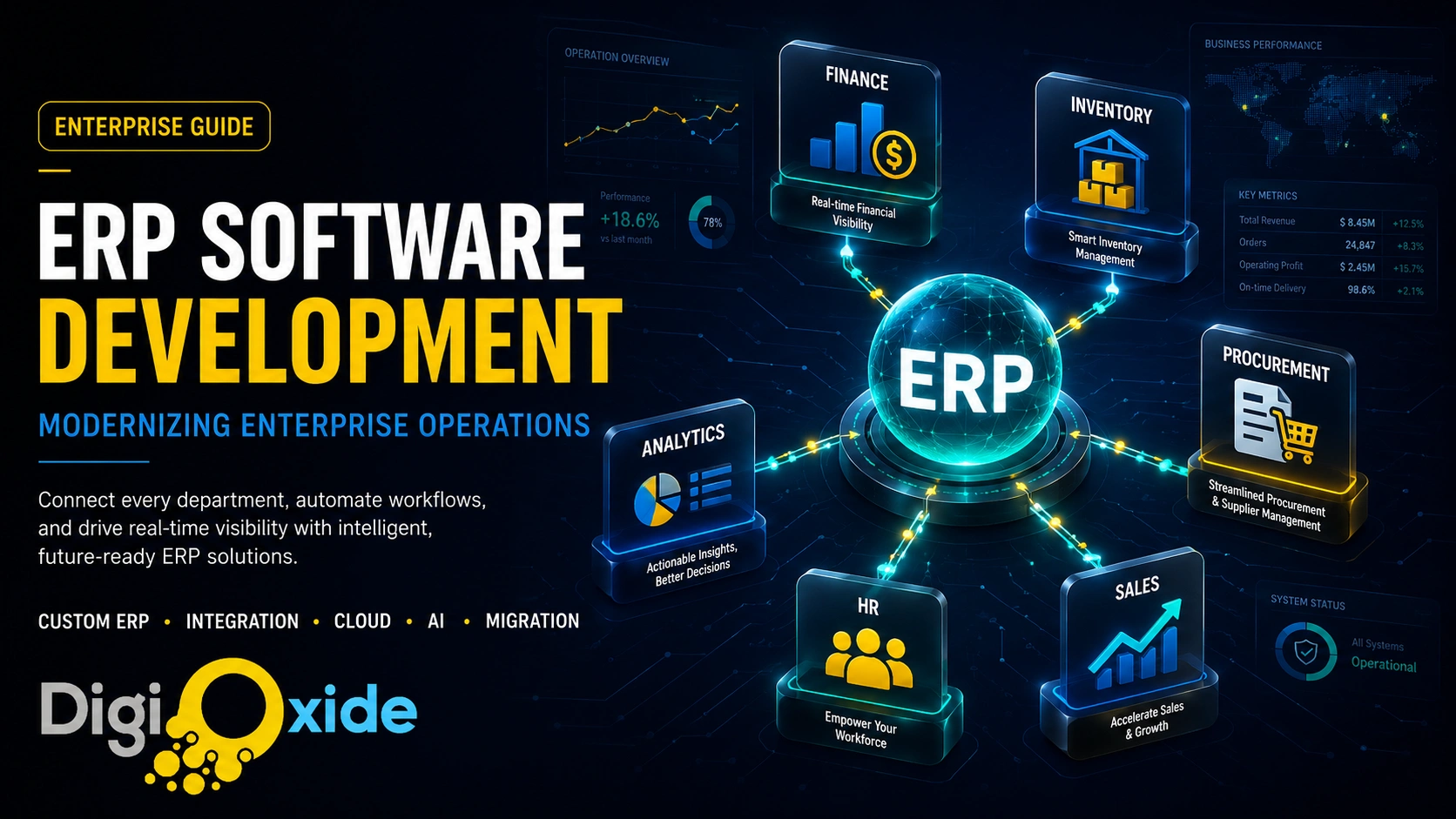
ERP Development Services: Modernizing Enterprise Operations

Most growing companies do not decide to replace their core systems. They wait until the systems force the issue — until the finance team is reconciling spreadsheets at midnight, the warehouse and the website disagree about what is in stock, and nobody can answer a simple question like “what did we actually make on that product line last quarter” without three people and a day of digging.
That moment is what enterprise resource planning software exists to prevent. ERP pulls the disconnected parts of a business — finance, inventory, procurement, sales, HR, manufacturing — into one connected system working from one set of data. Done right, it turns a business that runs on guesswork and reconciliation into one that runs on real-time facts.
This guide to ERP software development services covers the topic from the ground up: what ERP actually is and the problems it solves, the build-versus-buy decision, the modules that make up a modern system, how custom ERP development works step by step, integration and cloud architecture, the role of AI in the next generation of ERP, security and compliance, what it costs, and how to migrate off a legacy system without breaking the business. The goal is to give you enough to make a confident decision rather than a sales pitch dressed as a guide.
What ERP actually is — and what it is not
An ERP system is a single platform that manages and connects the core operational processes of a business. Instead of finance using one tool, the warehouse another, and sales a third — each with its own copy of the data that never quite agrees — ERP gives every department one shared system and one source of truth.
The defining idea is integration. When a sales order is placed, ERP can update inventory, trigger procurement if stock is low, schedule production, generate the invoice, and reflect all of it in the financial reports — automatically, in one flow, without anyone re-keying data between systems. That connectedness is what separates ERP from a collection of standalone tools.
It helps to distinguish ERP from neighbouring software:
- ERP vs CRM: CRM manages the customer-facing relationship — leads, sales pipeline, support. ERP manages the internal operational backbone — finance, inventory, supply chain. They complement each other and are often integrated.
- ERP vs standalone tools: Accounting software, inventory software, and HR software each solve one slice. ERP’s value is connecting those slices so data flows between them instead of being copied and reconciled.
The business problems ERP solves
ERP earns its keep by removing specific, expensive day-to-day pain. The recurring problems it addresses:
- Data silos. Departments work from separate, conflicting copies of information. ERP gives everyone the same live data, so decisions are based on one version of the truth.
- Manual, error-prone work. Re-entering the same data across systems wastes time and introduces mistakes. ERP automates the hand-offs.
- Poor visibility. Leadership cannot see what is happening across the business in real time. ERP provides live dashboards and reporting across every function.
- Inventory and supply chain blind spots. Without connected systems, stockouts, overstock, and fulfilment errors multiply. ERP keeps inventory accurate and demand visible.
- Weak financial control. Scattered financial data makes accurate reporting slow and compliance risky. ERP centralises and standardises it.
- Growth ceilings. Manual processes that work at small scale collapse as a business grows. ERP is what lets operations scale without proportionally scaling headcount and chaos.
If several of those describe your business, the question is no longer whether to invest in ERP, but which kind.
Build or buy: custom ERP vs off-the-shelf
This is the pivotal decision, and the honest answer is “it depends on how unusual your business is.”
Off-the-shelf ERP — pre-built platforms you configure to your needs — is faster to deploy, cheaper up front, and battle-tested. For businesses whose processes resemble industry norms, a well-chosen off-the-shelf system is often the right answer. The trade-off is fit: you adapt your processes to the software, you pay for modules you may not use, you can hit limits on customization, and you risk vendor lock-in.
Custom ERP development builds the system around your processes rather than forcing your processes into someone else’s mould. The case for custom has grown stronger as businesses seek differentiation and flexibility:
- Exact fit. The system matches how you actually work, including the processes that make you competitive, instead of bending your operations to fit generic software.
- No paying for what you do not need, and no fighting limits on what you do.
- Full ownership and no licence-driven lock-in, so the system evolves on your timeline.
- Integration on your terms with the specific tools and partners your business relies on.
- A genuine competitive edge, because your unique processes are supported rather than flattened.
The trade-off is a larger up-front investment and a longer initial build. The decision usually comes down to this: if your processes are standard, lean toward off-the-shelf; if your processes are a source of competitive advantage — or simply too unusual for generic software to serve well — custom ERP development typically pays back over the life of the system. Many businesses also land on a middle path: a custom-built core for the processes that differentiate them, integrated with proven components for the standard ones.
The core modules of a modern ERP
ERP is modular by design — you implement what your business needs and add more over time. The modules that make up most systems:
- Finance and accounting: The heart of any ERP: general ledger, accounts payable and receivable, budgeting, financial reporting, and compliance. This is where the single source of truth pays off most visibly.
- Inventory and warehouse management: Real-time stock levels, locations, movements, and valuation, keeping physical and recorded inventory in sync.
- Procurement and supplier management: Purchase orders, supplier records, approvals, and spend visibility.
- Sales and order management: Quotes, orders, fulfilment, and the link back to inventory and finance.
- Manufacturing and production: Bills of materials, production planning, scheduling, and shop-floor tracking for businesses that make things.
- Supply chain management: Demand planning, logistics, and the flow of goods from supplier to customer.
- Human resources: Employee records, payroll, time and attendance, and workforce management.
- CRM (often integrated): Customer and sales data connected to the operational core.
- Reporting, analytics, and dashboards: The layer that turns all that connected data into decisions — increasingly enhanced with advanced analytics and AI.
A well-designed system lets these modules share data seamlessly, so an action in one is reflected everywhere it matters.
How custom ERP development works, step by step
A serious ERP build follows a disciplined lifecycle. Skipping steps is the most common reason ERP projects fail.
- Discovery and requirements analysis: The most important phase. You map current processes, identify pain points, define what the system must do, and prioritise. ERP projects fail far more often from poor requirements than from poor code.
- System design and architecture: Defining the modules, the data model, the integrations, the technology stack, and whether the system is cloud, on-premise, or hybrid. Decisions here shape everything downstream.
- Development and customization: Building the modules and the business logic that reflects your actual processes, iteratively and in priority order.
- Integration: Connecting the ERP to existing systems — accounting tools, e-commerce, CRM, warehouse hardware, and third-party services — so data flows rather than stalls. This is often the hardest and most underestimated part.
- Testing and quality assurance: Rigorous testing across functions, data accuracy, performance under load, and security. ERP touches money and operations, so quality is not optional.
- Data migration: Moving clean, validated data from old systems into the new one. Garbage in equals garbage out, so this step rewards patience.
- Deployment: Going live, often in phases rather than a single risky switchover, with a rollback plan.
- Training and change management: The step most often skimped, and the one that decides adoption. The best ERP fails if people will not use it. Invest in training and bring the organization along.
- Maintenance and continuous improvement: ERP is a living system. Ongoing support, updates, and enhancements keep it valuable as the business evolves.
The pattern that separates successful ERP application development from cautionary tales is rigour in the early phases — requirements, design, and integration planning — and seriousness about the human phases — migration, training, and change management.
Integration: the part that decides success
An ERP that does not connect cleanly to the rest of your technology is an expensive silo of its own. Integration is what makes ERP transformative rather than merely tidy.
Modern ERP integrates through APIs with the systems a business already runs — e-commerce platforms, CRM, payment and banking systems, logistics and shipping providers, business intelligence tools, and increasingly with operational hardware and IoT devices on the warehouse or factory floor. An API-first architecture — designing the ERP so that every function is accessible through well-defined interfaces — is the modern standard, because it makes the system extensible and future-proof rather than rigid.
Plan integration early. Treating it as an afterthought is one of the most common and costly ERP mistakes, because the value of a connected business is exactly the integration you skipped.
Cloud, on-premise, or hybrid?
Where your ERP runs is a strategic decision, not just a technical one.
- Cloud ERP is hosted and managed off-site, accessed over the internet. It offers lower up-front cost, easier scaling, automatic updates, remote access, and reduced infrastructure burden. It has become the default for most businesses, and especially for those with distributed teams or rapid growth.
- On-premise ERP runs on your own servers, giving maximum control and, for some organizations, easier alignment with strict data-residency or regulatory requirements. The trade-off is higher up-front cost, your responsibility for infrastructure and updates, and harder scaling.
- Hybrid keeps sensitive functions on-premise while using the cloud for others — a pragmatic middle ground for organizations with specific compliance constraints.
The momentum is firmly toward cloud and cloud-native architectures, for the agility, scalability, and lower maintenance they bring. A modern build should at minimum be cloud-ready, with cloud and DevOps practices baked in from the start.
AI and the next generation of ERP
The most significant shift in ERP right now is the move from systems that record what happened to systems that predict and act. AI is turning ERP from a passive ledger into an active operational partner.
What this looks like in practice:
- Predictive analytics that forecast demand, flag likely stockouts, and anticipate maintenance needs before they cause downtime.
- Intelligent automation that handles routine decisions — reordering, approvals, anomaly detection — without human intervention.
- Real-time insights surfaced automatically rather than waiting for someone to run a report.
- Agentic capabilities, the emerging frontier, where AI agents within the ERP carry out multi-step tasks across modules on the business’s behalf.
This is where ERP development meets AI-powered business process transformation: the system does not just store your operational data, it uses it to make the business faster and smarter. Building AI-readiness into a modern ERP — clean data, an API-first design, and the right architecture — is what positions a business to benefit from these capabilities as they mature, rather than retrofitting them painfully later.
Security and compliance
ERP holds the most sensitive data in the business — financial records, customer information, employee data, operational secrets. That makes security and compliance non-negotiable.
A well-built ERP includes:
- Role-based access control, so people see only what their role requires.
- Encryption of data in transit and at rest.
- Audit trails that record who changed what and when, which matters for both security and compliance.
- Regulatory compliance by design — meeting the data protection, financial, and industry-specific regulations that apply to your business, with data-residency handled appropriately.
- Regular security updates and monitoring, since an unpatched ERP is a serious liability.
Compliance is not a feature you bolt on at the end; it is a design constraint that shapes architecture, hosting choices, and access models from the start.
What ERP development costs
ERP cost varies widely because it depends on scope, and there is no honest single number. The factors that drive it:
- Number and complexity of modules. A finance-only system costs far less than a full finance, manufacturing, supply chain, and HR suite.
- Custom vs off-the-shelf. Custom has a higher up-front build cost; off-the-shelf has lower up-front cost but ongoing licence fees and potential customization costs.
- Integration complexity. Connecting to many existing systems adds effort.
- Number of users and the scale of operations.
- Cloud vs on-premise, which shifts cost between up-front capital and ongoing operating expense.
- Data migration effort, which depends on how clean and how voluminous your existing data is.
- Training, change management, and ongoing support.
The most useful way to think about ERP cost is total cost of ownership over several years, weighed against the return: less manual work, fewer errors, better decisions, and the ability to grow without operational chaos. A system that costs more to build but fits your business and scales with it usually beats a cheaper one you outgrow or fight. The right approach is to scope deliberately, start with the modules that deliver the most value first, and expand from there.
Migrating off a legacy ERP
Many businesses are not starting from nothing — they are escaping an ageing ERP that has become a brake on growth. The signs are familiar: the system is slow, hard to change, poorly supported, badly integrated with modern tools, and increasingly a source of risk rather than reliability.
Modernizing a legacy ERP can take several forms, from upgrading the existing system, to re-platforming onto modern infrastructure, to a full rebuild. The right approach depends on how far the current system has fallen behind and how central it is to the business.
A sound modernization:
- Starts with a clear assessment of what the current system does, what it fails to do, and what the business actually needs going forward.
- Prioritises and phases the work rather than attempting a risky all-at-once replacement.
- Treats data migration as a project in itself, with cleaning and validation, because legacy data is rarely as tidy as anyone hopes.
- Plans integration and change management deliberately, since modernization is as much about people adopting new ways of working as about technology.
- Keeps a rollback path at every cutover.
The cost of doing nothing is real: legacy ERP quietly taxes the business through inefficiency, errors, security exposure, and missed opportunities. Modernization, done with discipline, removes that drag and reopens the capacity to grow.
Where Digioxide fits in
ERP is too consequential to approach with a one-size-fits-all mindset, which is why most of this guide is about helping you make the right call rather than selling a single answer. Where Digioxide Technologies Private Limited adds value is in building enterprise systems that fit how your business actually works — and increasingly, that make it smarter.
Our AI-driven enterprise software development builds scalable, secure ERP and enterprise platforms enhanced with AI capabilities — predictive analytics, intelligent automation, and real-time insight — so the system does not just organize your operations but actively improves them. For businesses whose processes are a competitive advantage, our custom software development team builds ERP around your operations rather than the other way around.
We pair that with AI-powered business process transformation to rethink and automate the workflows the ERP supports, data and AI solutions to turn your operational data into decisions, and cloud and DevOps automation to keep the system scalable, reliable, and cloud-native from day one.
You can explore the range of systems we have delivered in our project portfolio, and when you are ready to scope an ERP build or modernization, our team is ready to talk.
The bottom line
ERP is the operational backbone of a modern business — the system that replaces silos, manual reconciliation, and guesswork with one connected source of truth. Off-the-shelf suits standard processes; custom ERP development suits businesses whose processes are a competitive edge or simply too distinctive for generic software. Either way, success depends less on the technology than on rigorous requirements, careful integration, disciplined data migration, and serious change management.
The next generation of ERP does more than record — it predicts, automates, and acts, turning your operational data into a genuine advantage. Whether you are building your first ERP or escaping a legacy system that has become a brake, the right approach is to scope deliberately, start where the value is highest, and build for where the business is going. If you would like a straight assessment of what fits your operations, that is a conversation our team is glad to have.
Frequently asked questions
What is the difference between ERP and CRM?
CRM manages customer-facing relationships — sales, leads, support. ERP manages internal operations — finance, inventory, supply chain, HR. They are complementary and often integrated, with CRM connected to the ERP’s operational core.
Should I build a custom ERP or buy off-the-shelf?
If your processes are standard, off-the-shelf is usually faster and cheaper. If your processes are a competitive advantage or too unusual for generic software, custom ERP development fits better and pays back over the system’s life. A hybrid — custom core plus proven components — is common.
How long does ERP development take?
It depends entirely on scope, from a few months for a focused system to much longer for a full multi-module enterprise build. Phasing the work — delivering the highest-value modules first — gets value flowing sooner.
What does ERP development cost?
There is no single figure; it depends on modules, customization, integration, users, and hosting. Evaluate it as total cost of ownership against the return in efficiency, accuracy, and growth capacity rather than as a one-time price.
Is cloud ERP better than on-premise?
For most businesses, cloud ERP offers better scalability, lower up-front cost, and easier maintenance, and it has become the default. On-premise still suits organizations with strict data-residency or regulatory needs, and hybrid bridges the two.
What is the biggest reason ERP projects fail?
Weak requirements and neglected change management, far more than technical problems. Projects succeed when the early discovery and design phases are rigorous and the people side — migration, training, adoption — is taken seriously.
Can AI be added to our ERP?
Yes. Modern ERP supports predictive analytics, intelligent automation, and emerging agentic capabilities. Building on clean data and an API-first architecture is what makes a system ready to benefit from AI rather than needing a painful retrofit.
